> ## Documentation Index
> Fetch the complete documentation index at: https://doc.soleaspay.com/llms.txt
> Use this file to discover all available pages before exploring further.
# Collection
> Collect funds from your customers througt all SoleasPay supported services
## Collection (PayIn)
You can request a payment from a customer.
Funds will be moved from the customer’s **mobile money wallet** to your [**SoleasPay account**](https://soleaspay.com).
This operation **must be explicitly authorized by the customer**, who will enter their **PIN code** on their mobile phone.
The operation may take anywhere from a few seconds up to a few minutes to complete.
***
Please follow the guidelines in the Implementation section of our API docs to ensure a reliable implementation.
## 🔁 Collection Flow
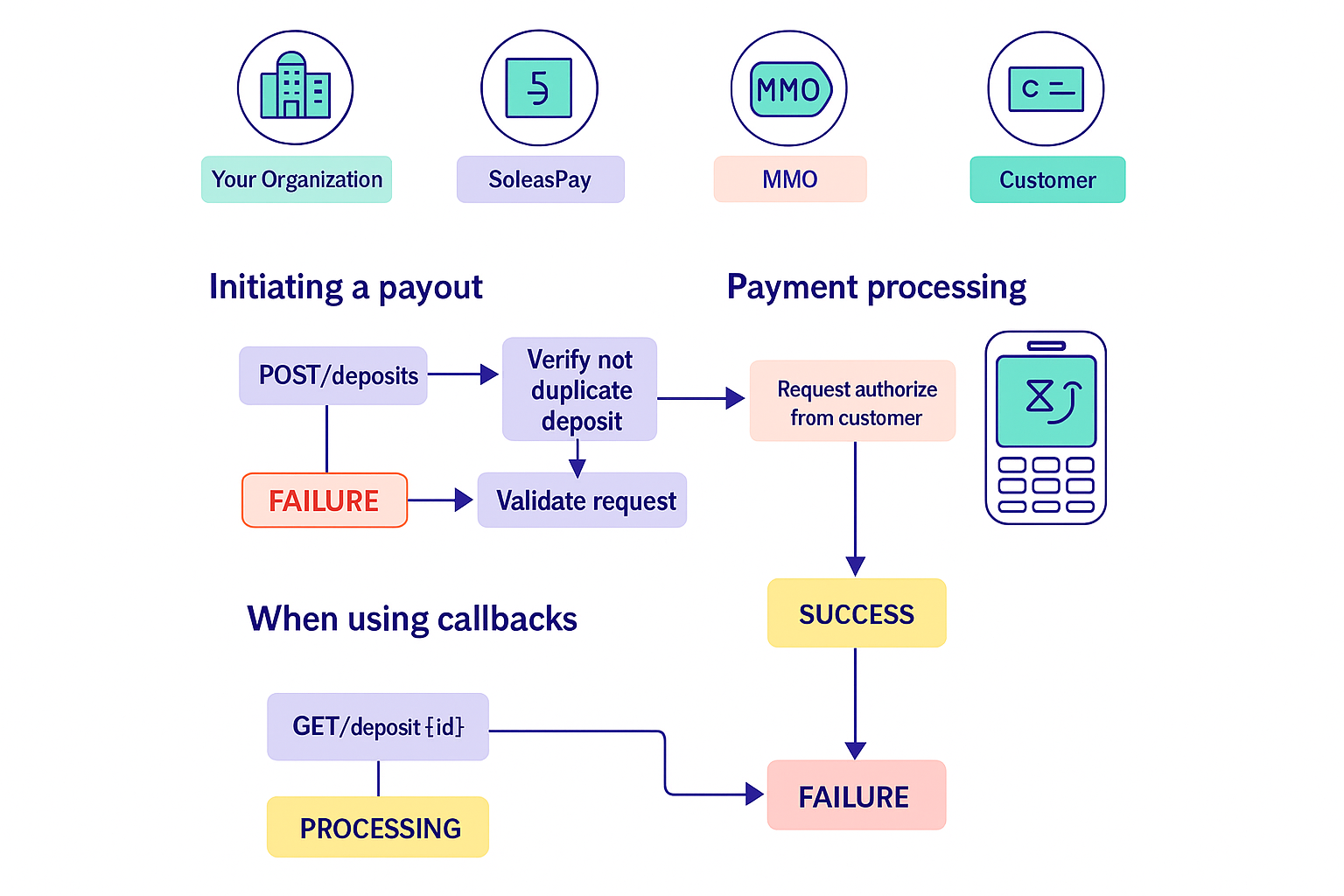
1. You send a **payment request** to SoleasPay.
2. SoleasPay forwards the request to the **Mobile Money Operator (MMO)** you specify.
3. SoleasPay respond you witch a **Processing** status
4. The MMO sends a **payment authorization prompt** to the customer's phone.
5. The customer enters their **PIN** to approve the transaction.
6. The MMO returns a **success or failure** status to SoleasPay.
7. SoleasPay notifies you via:
* A **callback** to your configured URL (if set), or
* You can **poll the Check Status endpoint (verification status)** manually.
***
## 🔔 Callback Notification
If you’ve configured a **callback URL**, SoleasPay will automatically notify your system of the transaction result using a **Check Status Callback**.
> If no callback is configured, you can still track the request manually using the `Check Status Status` API endpoint.
***
## 📌 Payment Status Lifecycle
Once your payement request is accepted for processing, it can go through the following statuses:
| Status | Description |
| ------------ | ----------------------------------------------------------------- |
| `PROCESSING` | The payout request has been accepted by SoleasPay for processing. |
| `SUCCESS` | The payout was successful. ✅ **Final State** |
| `FAILLURE` | The payout failed. ❌ **Final State** |
 ***
## ⚙️ Implementation Note
For a reliable integration:
* Follow all guidelines in the **Implementation section** of the API documentation.
* Ensure your backend handles **webhooks** correctly if using callbacks.
* Handle **all status transactions** gracefully in your UI/UX and logic.
For more details visite [Collection api-reference](https://doc.soleaspay.com/api-reference/endpoint/collectionPayment).
***
## ⚙️ Implementation Note
For a reliable integration:
* Follow all guidelines in the **Implementation section** of the API documentation.
* Ensure your backend handles **webhooks** correctly if using callbacks.
* Handle **all status transactions** gracefully in your UI/UX and logic.
For more details visite [Collection api-reference](https://doc.soleaspay.com/api-reference/endpoint/collectionPayment).