Collection (PayIn)
You can request a payment from a customer. Funds will be moved from the customer’s mobile money wallet to your SoleasPay account. This operation must be explicitly authorized by the customer, who will enter their PIN code on their mobile phone. The operation may take anywhere from a few seconds up to a few minutes to complete.Please follow the guidelines in the Implementation section of our API docs to ensure a reliable implementation.
🔁 Collection Flow
- You send a payment request to SoleasPay.
- SoleasPay forwards the request to the Mobile Money Operator (MMO) you specify.
- SoleasPay respond you witch a Processing status
- The MMO sends a payment authorization prompt to the customer’s phone.
- The customer enters their PIN to approve the transaction.
- The MMO returns a success or failure status to SoleasPay.
- SoleasPay notifies you via:
- A callback to your configured URL (if set), or
- You can poll the Check Status endpoint (verification status) manually.
🔔 Callback Notification
If you’ve configured a callback URL, SoleasPay will automatically notify your system of the transaction result using a Check Status Callback.
If no callback is configured, you can still track the request manually using the Check Status Status API endpoint.
📌 Payment Status Lifecycle
Once your payement request is accepted for processing, it can go through the following statuses: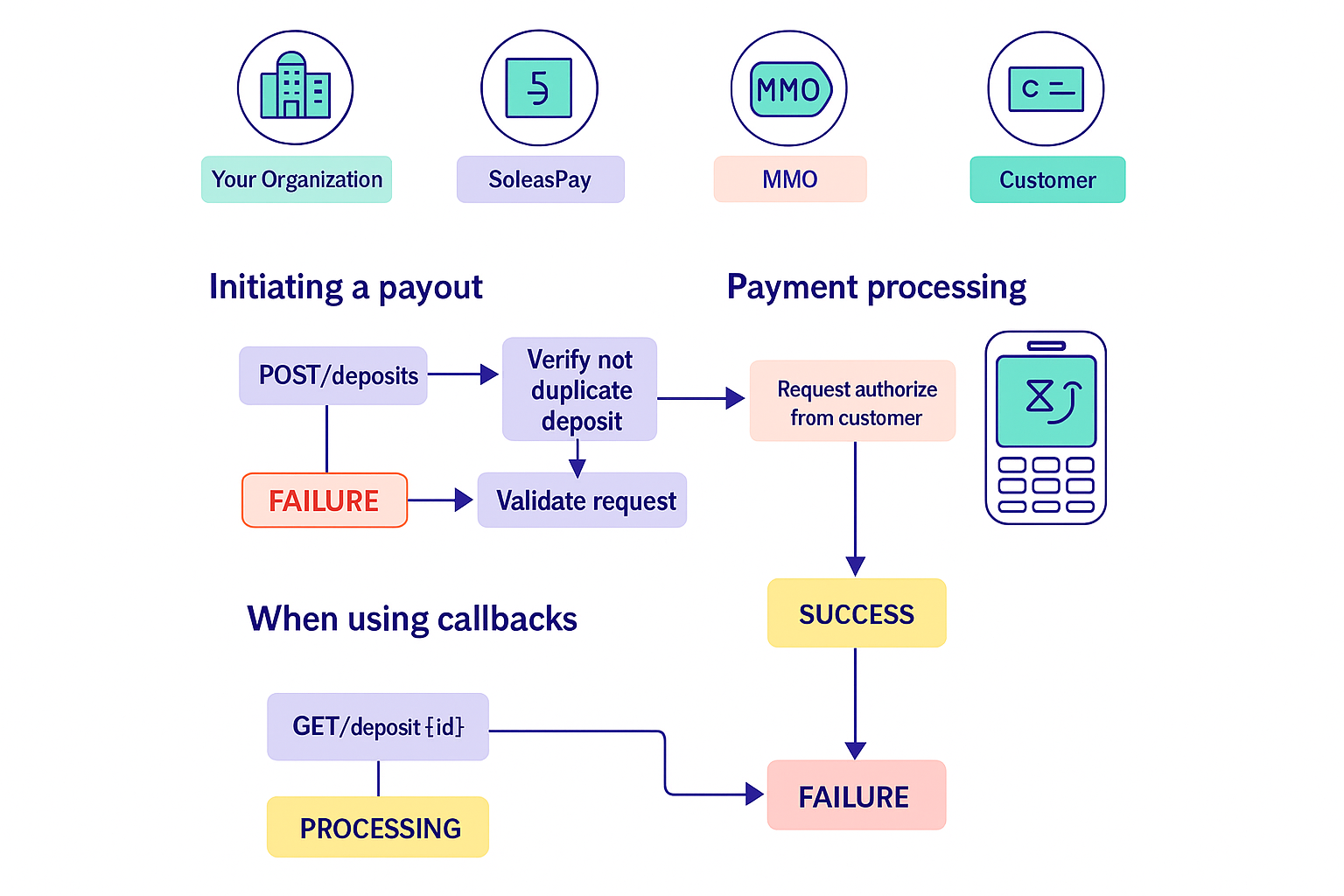
⚙️ Implementation Note
For a reliable integration:- Follow all guidelines in the Implementation section of the API documentation.
- Ensure your backend handles webhooks correctly if using callbacks.
- Handle all status transactions gracefully in your UI/UX and logic.